
Xenon, a free touch dashboard for your PC
It runs on a CORSAIR Xeneon Edge, a spare monitor, a tablet or your phone: system stats, media and mic, a Deck of keys and a voice assistant.
Xenon installs on a Windows, Mac or Linux PC. This phone can be one of its screens.
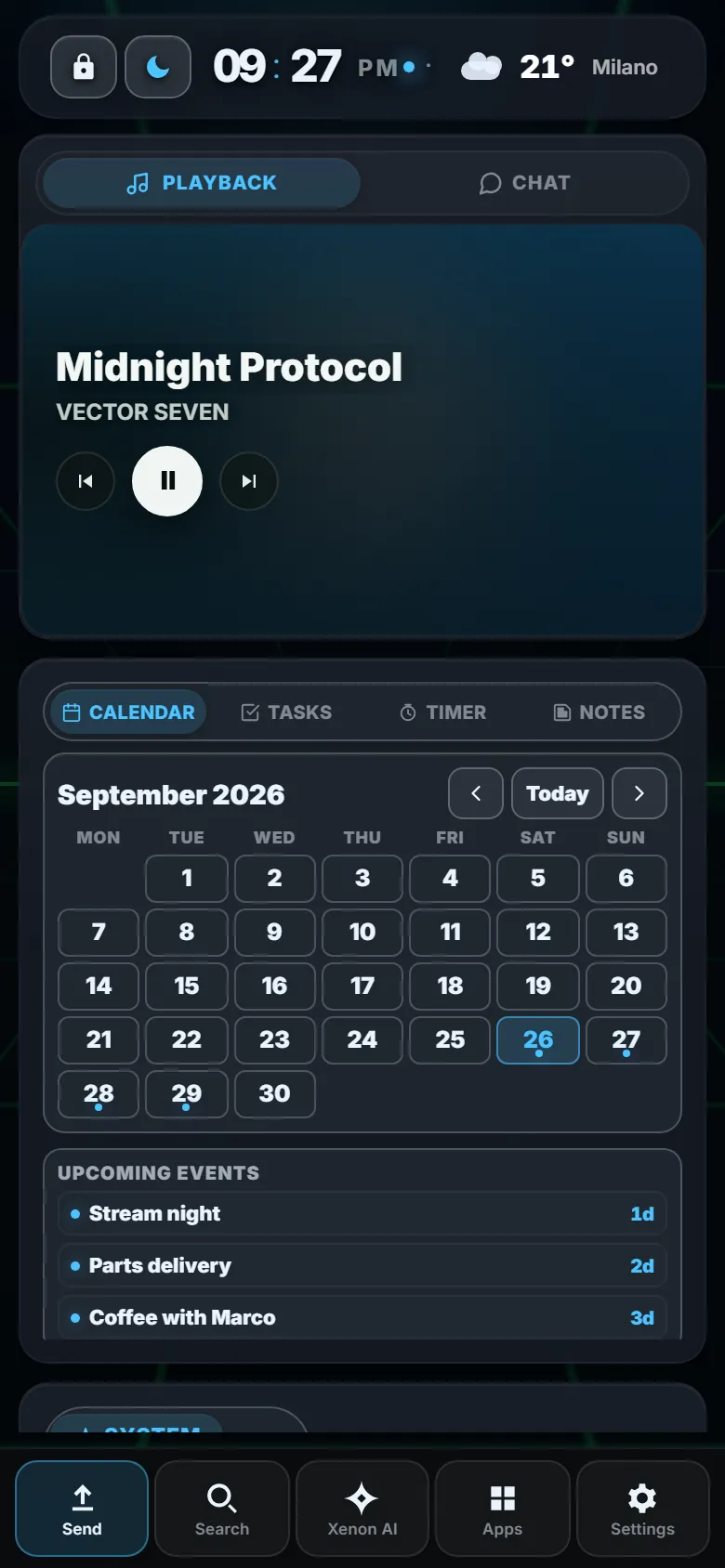
Deep Ocean, free in the catalog. Sample data from the browser demo.
Xeneon Edge, monitor, tablet, phone
One dashboard that rearranges itself for each shape: a 24-column grid on a wide screen, two columns on a tablet, one on a phone.
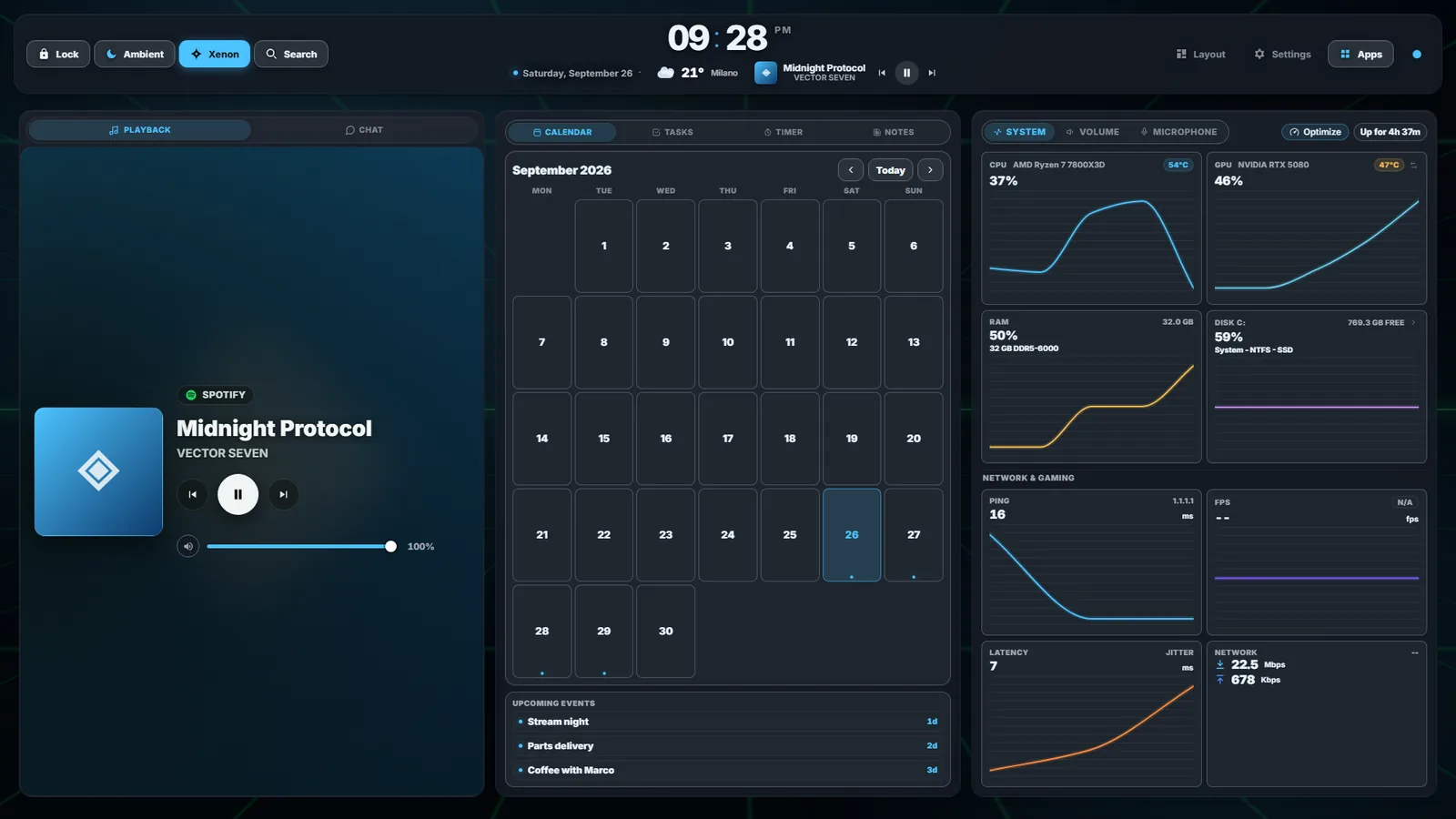
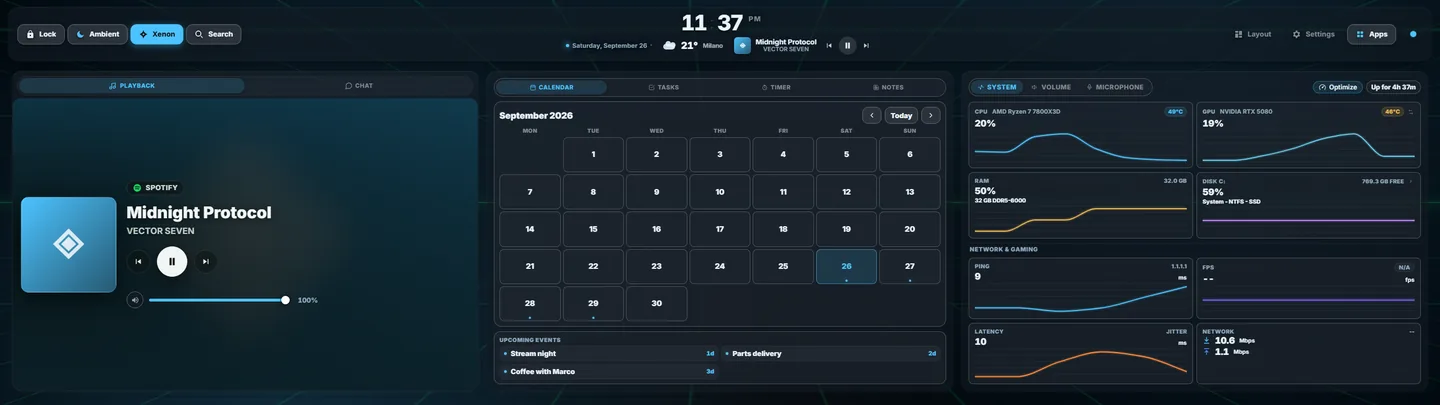
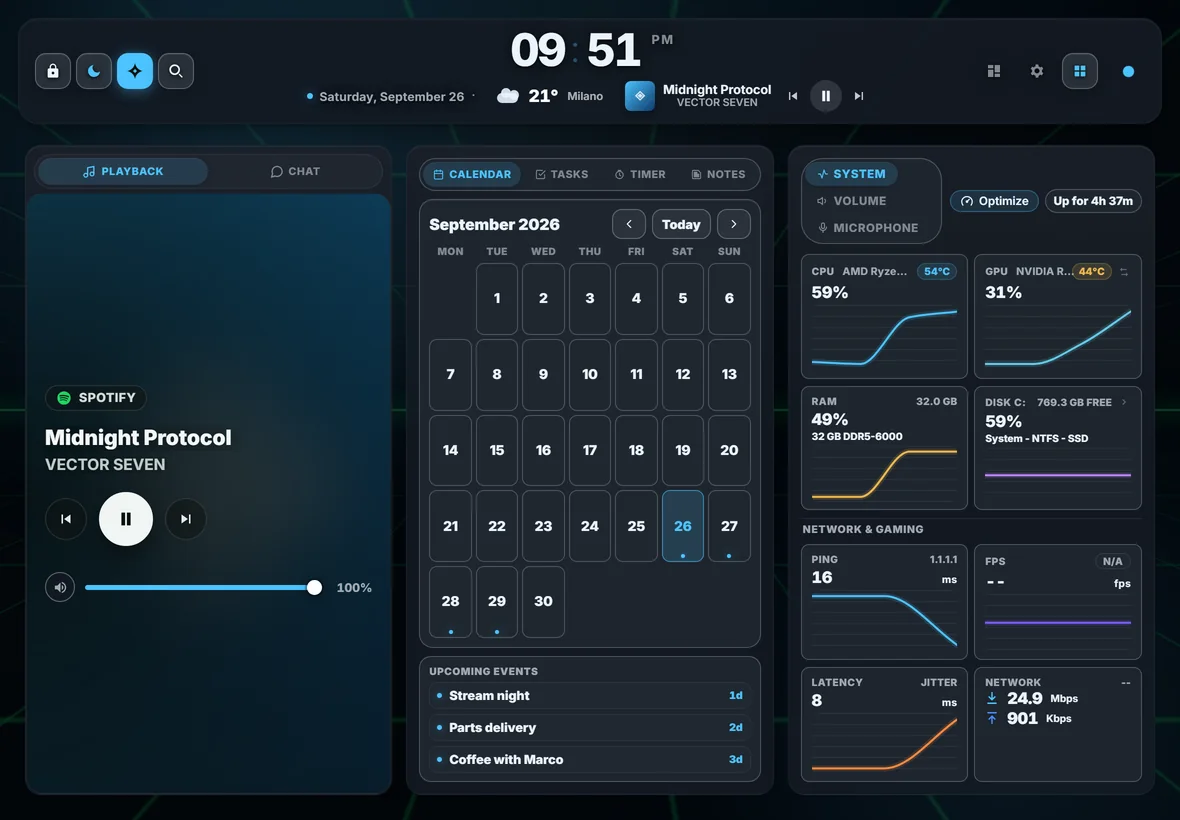
Drawn to scale: a 27-inch monitor, the 14.5-inch Edge, an 11-inch tablet and a 6.1-inch phone.
Widgets
45 built in. Resize them and place them on a 24-column grid, across up to 8 pages.
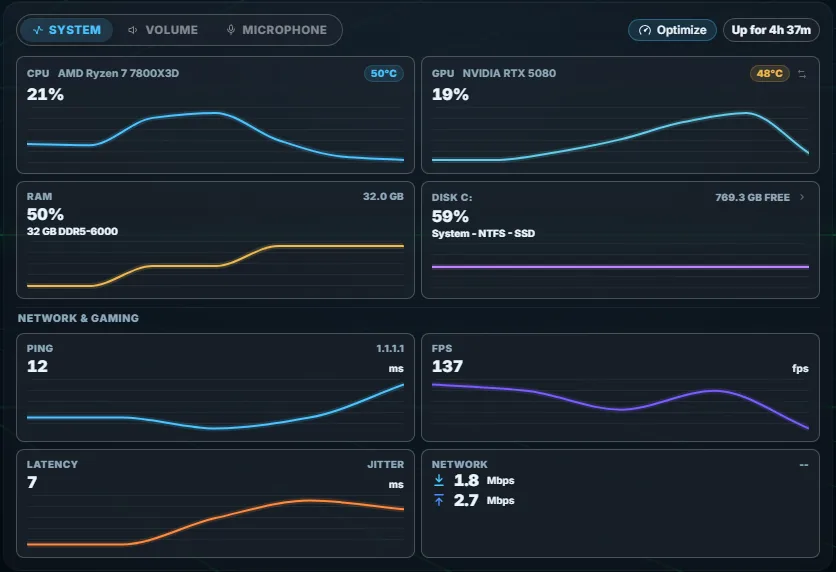
System13
CPU, GPU, memory, disk and network with their history, the real frame rate inside games, and then audio, lights, smart home and cameras.
- System
- Fans
- Energy
- Batteries
- Disk space
- Developer cleanup
- Volume
- Microphone
- Second screen
- Remote Control
- Smart Home
- Cameras
- Lighting
- Claude Code
- Codex
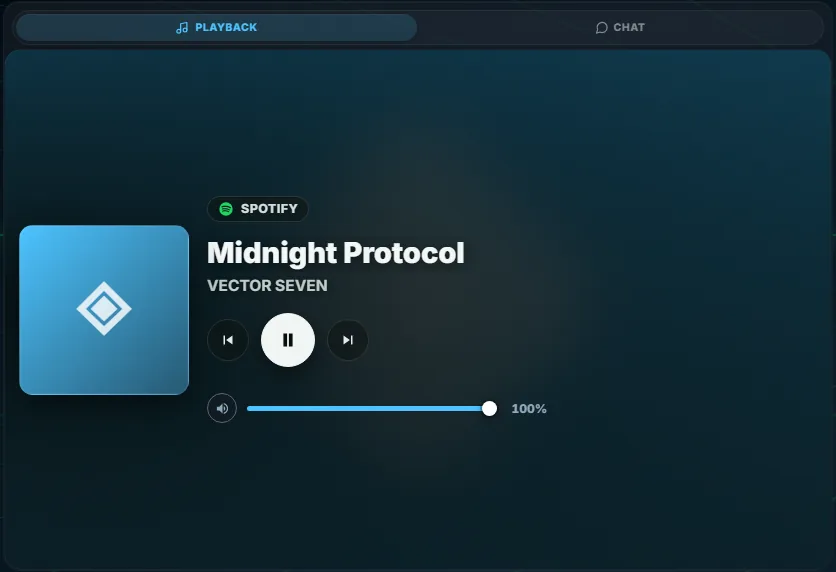
Media and streaming15
What is playing in any player, with its controls, and your streams: Twitch, YouTube, OBS, Discord, Streamer.bot and Wave Link.
- Playback
- Lyrics
- Chat
- ChatGPT
- Browser
- Slideshow
- Twitch Live
- Twitch
- YouTube
- YouTube Live
- OBS
- Discord
- Spotify
- Streamer.bot
- Wave Link
- Deck
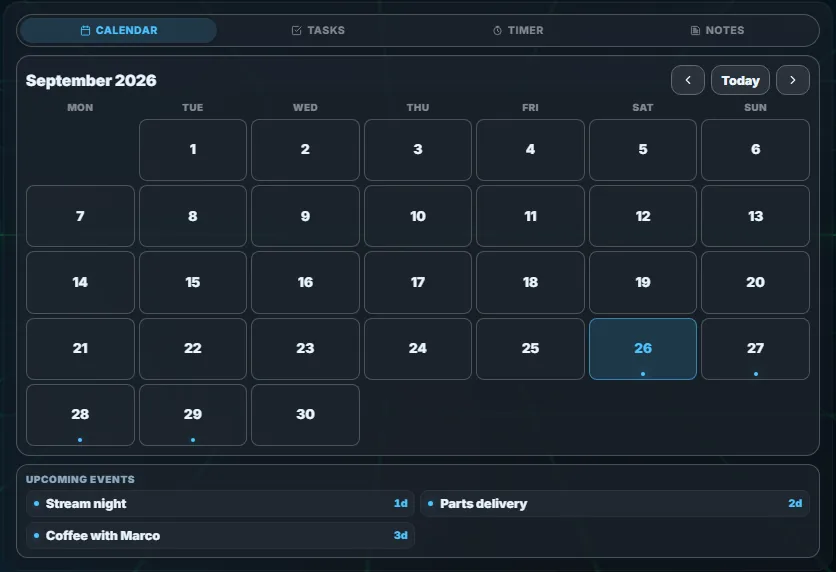
Productivity14
Your events, also from .ics feeds, with tasks, timers and notes in the same tile, and then weather, news, stocks and football.
- Agenda
- Calendar
- Tasks
- Timer
- Notes
- Weather
- Search
- File transfer
- Phone
- Stocks
- Football
- News
- Notifications
- Vitals
Beyond these 44: the widgets in the catalog, and the ones you make, also without code.
Controls
The keys and the prompts on the screen act on your PC.
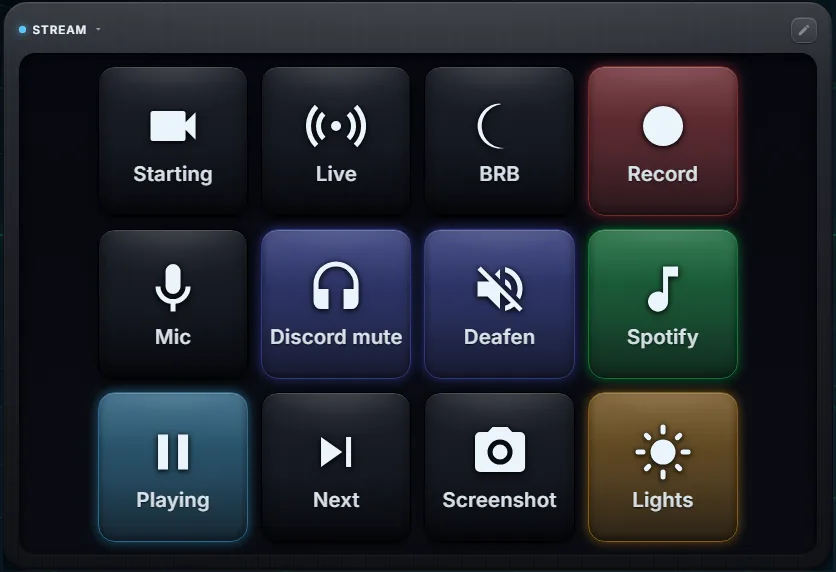
Deck
Keys that open apps and files, switch OBS scenes, send hotkeys, call webhooks and control Discord and Voicemeeter. One key can run several steps in a row, and a key can show the state of what it controls: here Play is lit because music is playing.
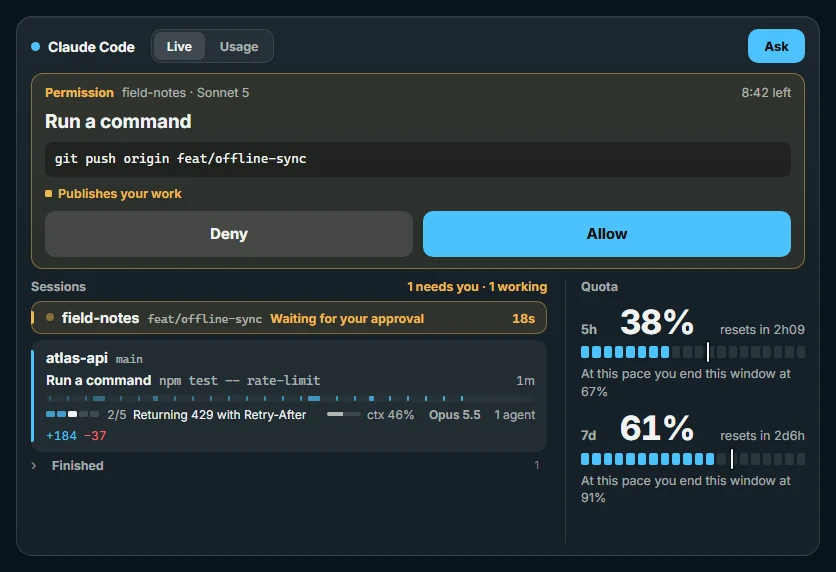
When Claude Code asks to run a command, the request appears on the screen with Allow and Deny, and the quota of your plan stays in view.
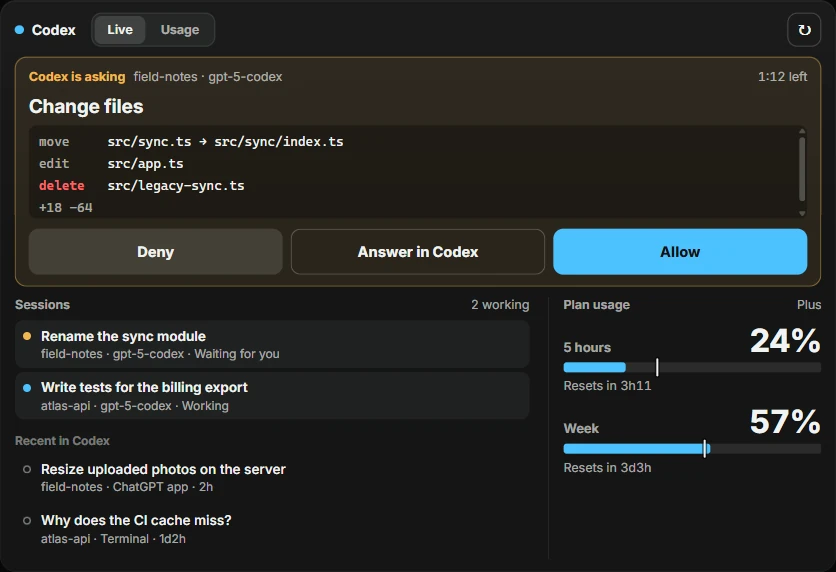
When Codex asks to run a command or change files, the request appears on the screen with Allow, Deny and Answer in Codex, and the usage of your ChatGPT plan stays in view.
Game mode
In the Xenon app on Windows, touching the dashboard does not take focus from the game you are playing. The frame rate comes from the game itself, measured with PresentMon.
Xenon AI
Ask out loud with "Hey Xenon". It works with Gemini, OpenAI, Anthropic or a local model through Ollama, and with Claude Code and Codex on your own subscription.
Catalog
Themes, widgets and scenes made for Xenon, free or for supporters. Each one installs from a code, with a preview first.
Create
Themes, animated backgrounds, pages, Deck profiles and widgets are made in the app or in code, and shared as a single code that anyone can paste into Xenon.
- In the app, without code
- Themes, backgrounds, pages, Deck keys and simple widgets each have an editor in the app. The maker’s guide
- With Xenon AI
- Ask for a synthwave theme or a page for streaming, and the assistant builds it while you watch. It stays off until you turn it on in Settings, AI.
- In code
- A widget is a folder with a manifest and an HTML file. It can read the sensors, the music and the agenda, and control music, volume, lights or OBS, with the permissions the person installing it approves. SDK documentation
- In the catalog
- When it is ready, send it in. Every entry is checked by hand before it appears, with your name on it. Publish in the catalog
{
  "api": 1,
  "id": "neon-clock",
  "name": "Neon Clock",
  "entry": "index.html",
  "streams": [],
  "actions": []
}
<!doctype html>
<meta charset="utf-8">
<style>
:root { --accent:#b57bff; --text:#f1ecfa; }
body { margin:0; display:grid; place-items:center; height:100vh;
background:transparent; color:var(--text); font-family:system-ui; }
#t { font-size:16vw; font-weight:700; color:var(--accent);
text-shadow:0 0 22px color-mix(in srgb,var(--accent),transparent 50%); }
</style>
<div id="t">--:--</div>
<script>
// use this tile's complete, contrast-checked palette
function applyTheme(theme) {
const p = theme && (theme.palette || theme); // fallback for older Xenon
if (!p) return;
if (p.accent) document.documentElement.style.setProperty('--accent', p.accent);
if (p.text) document.documentElement.style.setProperty('--text', p.text);
}
addEventListener('message', e => {
const m = e.data;
if (m && m.xenonSdk === 1 &&
(m.type === 'init' || m.type === 'theme')) applyTheme(m.theme);
});
// tick the clock every second
const pad = n => String(n).padStart(2,'0');
setInterval(() => {
const d = new Date();
document.getElementById('t').textContent = pad(d.getHours())+':'+pad(d.getMinutes());
}, 1000);
// say hello so Xenon starts talking to us
parent.postMessage({ xenonSdk:1, type:'hello' }, '*');
</script>Supporters
Xenon is free and made by one developer. Supporters get the monthly catalog drops, and keep it going.
Lyrics
The words of the song playing in any player, synced line by line, with each line translated into your language under it.
It is already inside Xenon, not a catalog download. You can try it free for 7 days, once per PC. A supporter code unlocks it, together with Developer cleanup, and both stay unlocked when the code runs out.
The app stays free without it. Codes arrive by email and unlock in Settings, Support Xenon.
Install
One installer per system. It sets up the app, the dashboard engine and the start at login.
WindowsYour system
Xenon-Setup-x64.exeWindows 10 or 11, 64-bit. Signed installer: SmartScreen may still warn for a while, then More info, Run anyway.
Download for WindowsmacOSBetaYour system
Xenon-macOS-universal.dmgmacOS 11 or later, Apple silicon and Intel. Not notarized yet: on first launch open System Settings, Privacy & Security, and choose Open Anyway.
Download for Mac Mac guideLinuxBetaYour system
Xenon-Linux-x86_64.AppImageAny x86_64 desktop, tested on GNOME and KDE. Also as a .deb and an .rpm.
Download the AppImage .deb .rpm Linux guideXenon installs on the PC it runs from. Send yourself the link, then pair this phone from Settings, Phone, Add device.
How pairing worksAfter the install the app opens and offers Complete setup: a console window you can watch installs the dashboard engine in a few minutes.
Every release lists SHA256 checksums, signed, on GitHub. How to check a download
Price and privacy
- Price
- Free. There is no paid version; supporters get the monthly catalog drops and two extra widgets, Lyrics and Developer cleanup.
- Source
- On GitHub, under a custom non-commercial licence.
- Stays on your PC
- Settings, notes, files, sensor readings and the AI's memory. There is no account.
- Goes online
- Update checks and the catalog, a daily announcements file, an anonymous version count (one switch turns it off), and the weather, artwork and AI services you choose. The full list
- Made by
- A single developer. Xenon is independent: CORSAIR does not make or endorse it.