
Widget
DGM Current weather
Widget for the Xenon dashboard, by DanielGarciaMorato
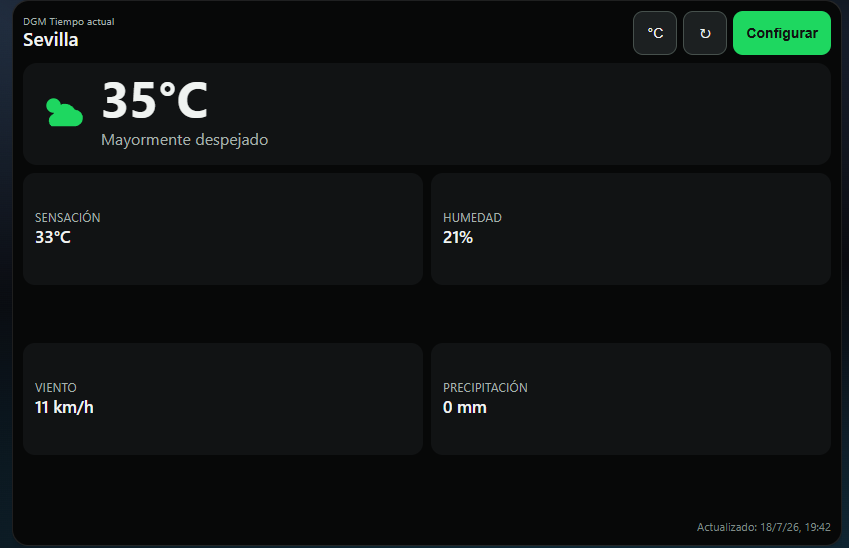
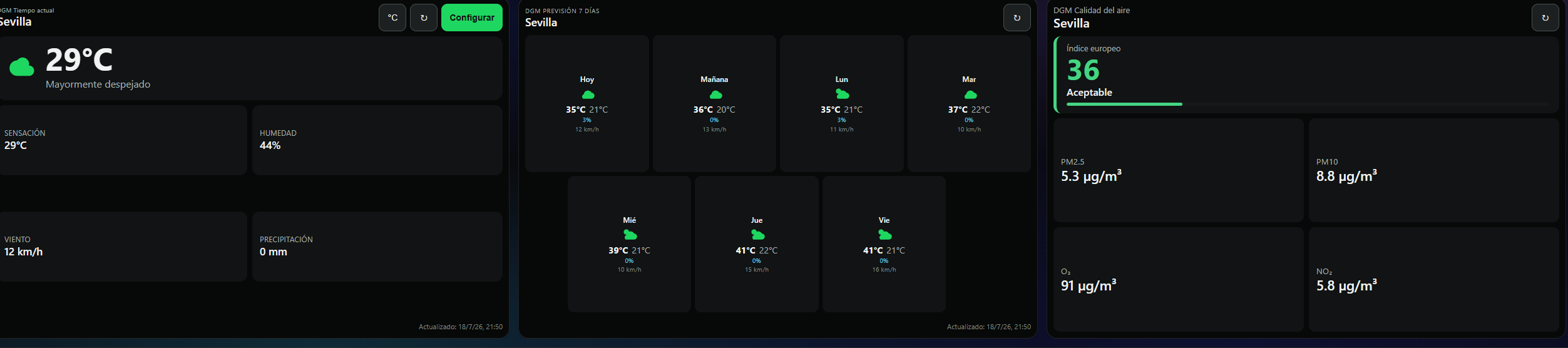
DGM Current Weather shows temperature, feels-like temperature, humidity, wind and precipitation for a manually selected city. It supports metric and imperial units, Spanish and English, shares its location with other DGM Weather widgets and uses Open-Meteo.
What's in it
Improved Xenon visibility handling, pausing weather requests while the widget is off-page or hidden and retaining compatibility with older hosts.
What a widget does
A widget is a tile that lives on your dashboard grid. It runs sandboxed, with no network access unless its manifest asks for named hosts and you approve them at install.
Palette
Tags
This one asks a little more of the machine than most, which is worth knowing before you load it onto a small screen.
Free. Copy the share code, then paste it into Xenon under Settings → Widgets & sharing → Import. Everything stays on your machine.
How to install it
- Open DGM Current weather in the catalog and press Copy code.
- In Xenon, open Settings → Widgets & sharing → Import and paste the code.
- Xenon shows you what the code contains before anything is applied. Confirm, and DGM Current weather is on your dashboard.
- This one needs Xenon 4.6.0 or later. An older install refuses the code rather than importing half of it.
At a glance
- TypeWidget
- CategorySystem
- Made byDanielGarciaMorato
- Versionv0.1.10
- NeedsXenon 4.6.0 or later
- Runs onWindows, macOS and Linux, on a second monitor, a Xeneon Edge, a tablet or a paired phone
- PriceFree
- Added2026-07-29