
Widget
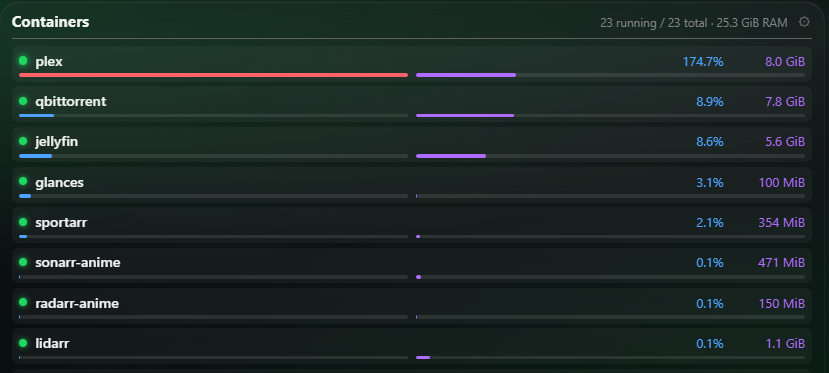
Docker Container Stats Display
Widget for the Xenon dashboard, by Swiv
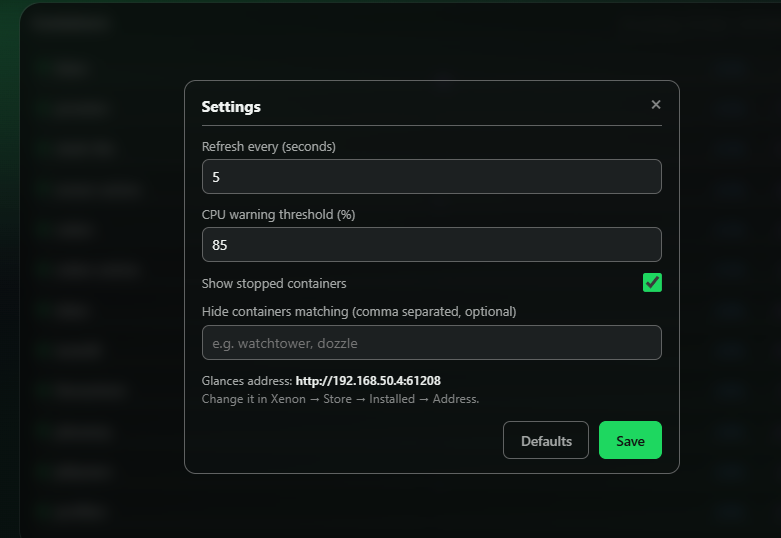
Displays Memory and CPU Usage by individal Docker Containers via Glances API found here - github.com/nicolargo/glances glances: image: nicolargo/glances:latest-full container_name: glances restart: unless-stopped pids_limit: 200 ports: - "61208:61208" volumes: -
What a widget does
A widget is a tile that lives on your dashboard grid. It runs sandboxed, with no network access unless its manifest asks for named hosts and you approve them at install.
Palette
#1ed760#0b0d12#e9edf6
Tags
Free. Copy the share code, then paste it into Xenon under Settings → Widgets & sharing → Import. Everything stays on your machine.
How to install it
- Open Docker Container Stats Display in the catalog and press Copy code.
- In Xenon, open Settings → Widgets & sharing → Import and paste the code.
- Xenon shows you what the code contains before anything is applied. Confirm, and Docker Container Stats Display is on your dashboard.
- Do not have Xenon yet? It is free, with its source on GitHub, for Windows, macOS and Linux.
At a glance
- TypeWidget
- CategorySystem
- Made bySwiv
- Versionv2.0.0
- NeedsAny recent Xenon
- Runs onWindows, macOS and Linux, on a second monitor, a Xeneon Edge, a tablet or a paired phone
- PriceFree
- Added2026-07-23