
Package
Limnograph
Package for the Xenon dashboard, by xenon
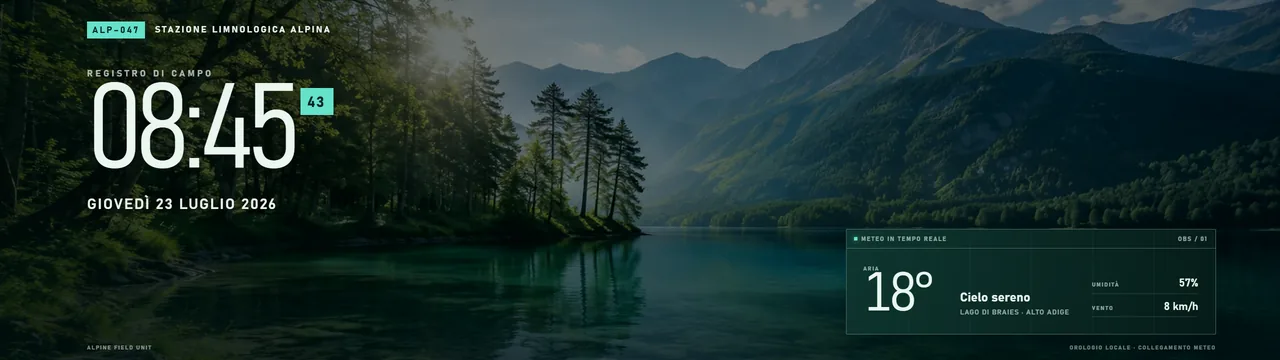
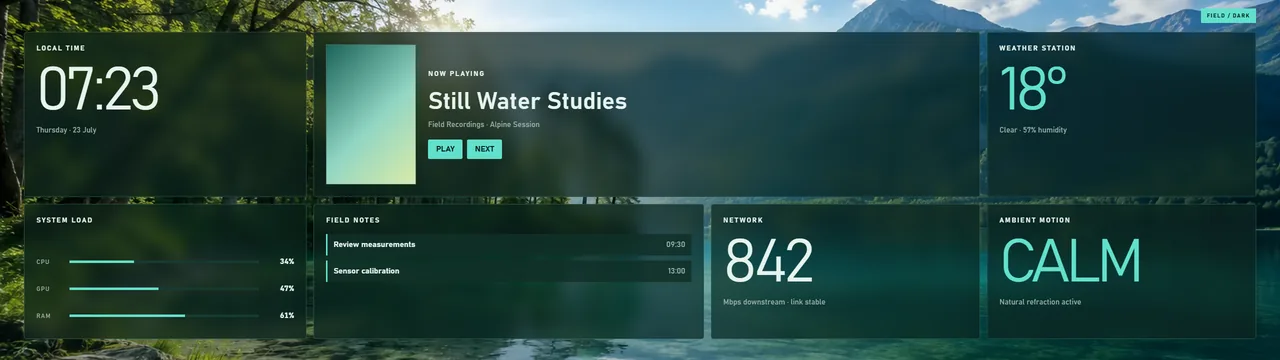
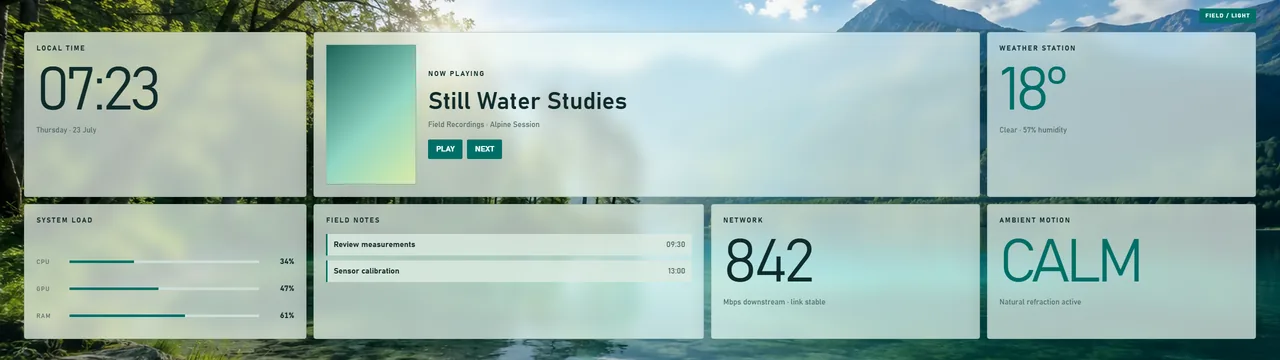
A 1970s alpine field station built around a mountain-lake photograph. Frosted survey panels, slow natural water refraction, and a fullscreen Ambient logbook with local time and live weather.
What's in it
Removed the artificial survey lines and moving scan from both the dashboard background and Ambient scene. The lake now moves only through subtle natural refraction.
What a package does
A package installs several pieces at once, usually a theme, a background and one or more widgets built to look like each other, so the whole dashboard changes in one paste.
Palette
#006f68#d9e8df#102b2b
Tags
Free. Copy the share code, then paste it into Xenon under Settings → Widgets & sharing → Import. Everything stays on your machine.
How to install it
- Open Limnograph in the catalog and press Copy code.
- In Xenon, open Settings → Widgets & sharing → Import and paste the code.
- Xenon shows you what the code contains before anything is applied. Confirm, and Limnograph is on your dashboard.
- This one needs Xenon 4.6.0 or later. An older install refuses the code rather than importing half of it.
At a glance
- TypePackage
- CategoryStyle
- Made byxenon
- Versionv1.0.1
- NeedsXenon 4.6.0 or later
- Runs onWindows, macOS and Linux, on a second monitor, a Xeneon Edge, a tablet or a paired phone
- PriceFree
- Added2026-07-23