
Widget
TGK Steam — Launcher & Battery
Widget for the Xenon dashboard, by The.GothamKnight
Launch recent Steam games, track playtime and monitor Steam Controller battery status. Requires a SteamID64 and Steam Web API key. The API key is stored through Xenon secret storage. Battery monitoring is optional and requires the TGK - Steam Controller Battery Millennium plugin. Available on GitHub
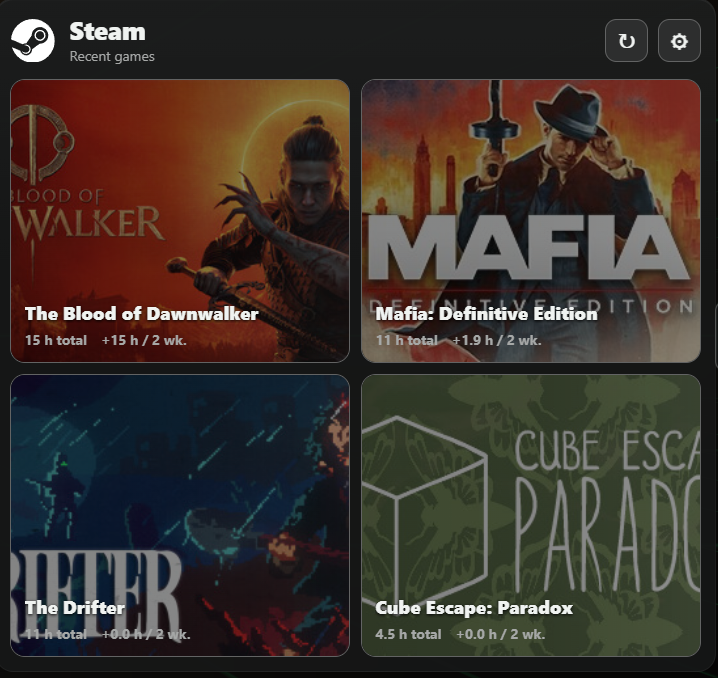
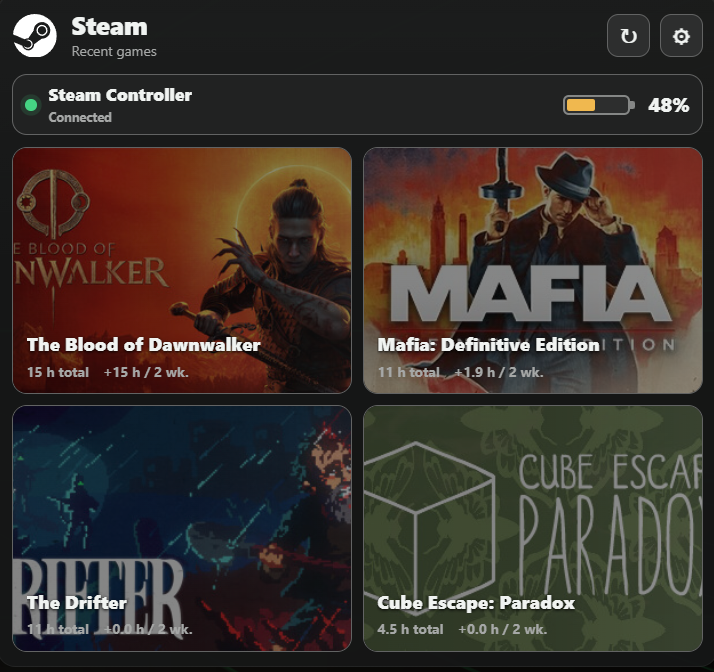
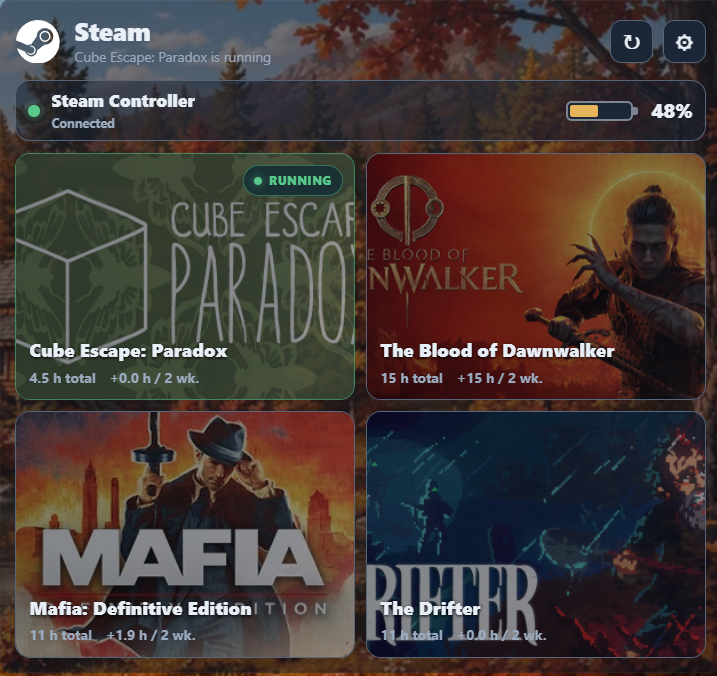
What's in it
TGK Steam v1.0.1 - Updated optional Steam Controller battery integration to use Xenon `scriptStates`. - Supports the separately distributed Steam Controller Battery Millennium plugin. (https://github.com/The-GothamKnight/) Game launching, recent games, and Steam API setup are unchanged.
What a widget does
A widget is a tile that lives on your dashboard grid. It runs sandboxed, with no network access unless its manifest asks for named hosts and you approve them at install.
Palette
Tags
Free. Copy the share code, then paste it into Xenon under Settings → Widgets & sharing → Import. Everything stays on your machine.
How to install it
- Open TGK Steam — Launcher & Battery in the catalog and press Copy code.
- In Xenon, open Settings → Widgets & sharing → Import and paste the code.
- Xenon shows you what the code contains before anything is applied. Confirm, and TGK Steam — Launcher & Battery is on your dashboard.
- This one needs Xenon 4.11.8 or later. An older install refuses the code rather than importing half of it.
At a glance
- TypeWidget
- CategoryTools
- Made byThe.GothamKnight (supporter)
- Versionv1.0.1
- NeedsXenon 4.11.8 or later
- Runs onWindows, macOS and Linux, on a second monitor, a Xeneon Edge, a tablet or a paired phone
- PriceFree
- Added2026-09-16
- Updated2026-09-28