
Supporters
Workload River
Widget for the Xenon dashboard, by Xenon
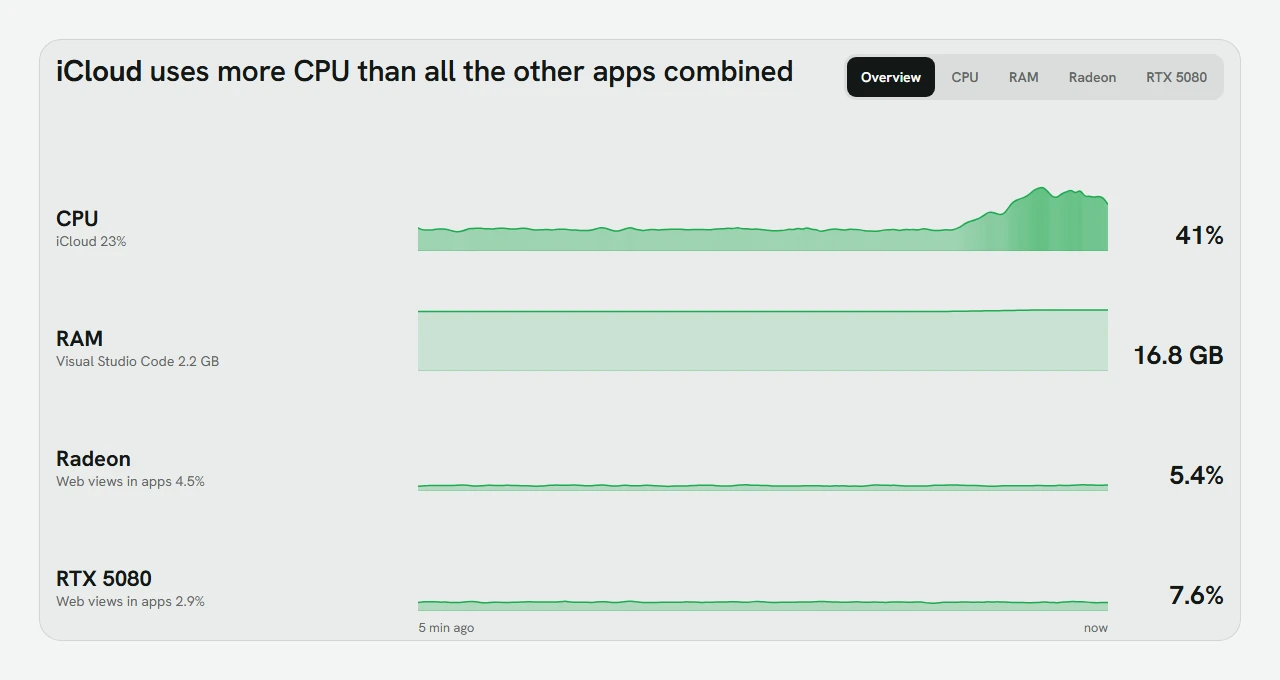
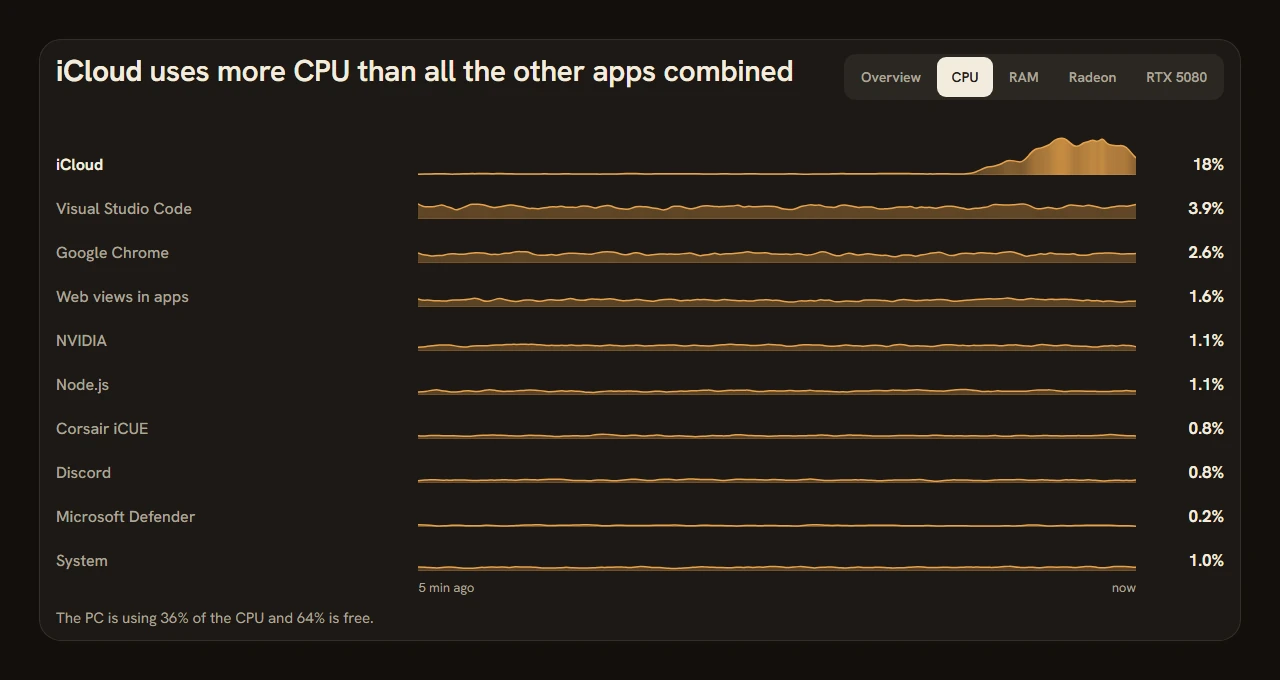
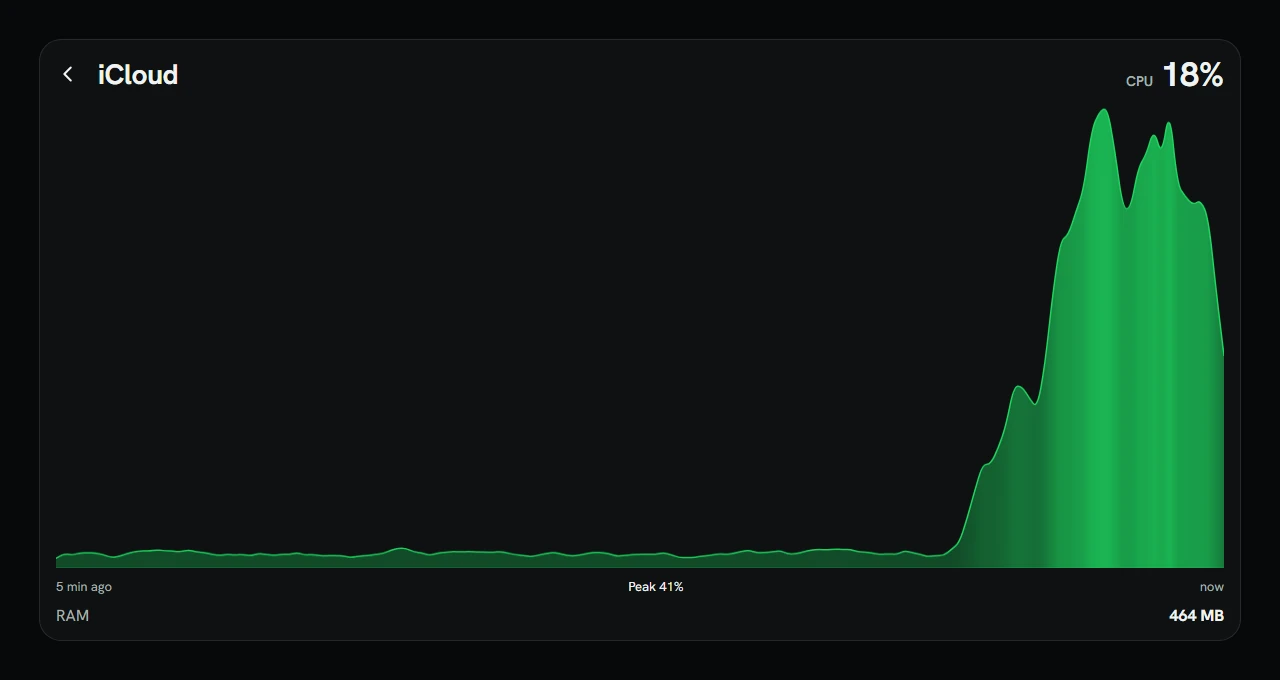
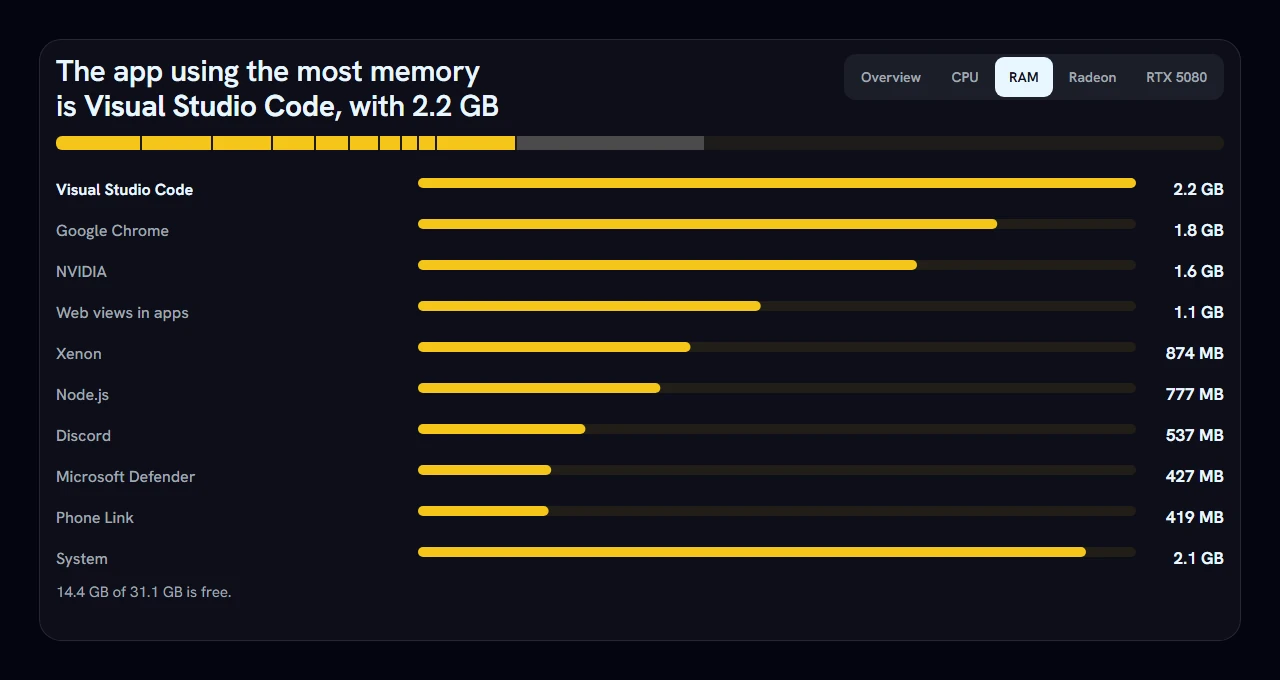
What is weighing on this PC, and since when. An overview of CPU, memory and each graphics card, then one row per app with its last five minutes in your theme's colour, deeper where it worked harder. One sentence on top says what matters now; tap a row for the detail.
What a widget does
A widget is a tile that lives on your dashboard grid. It runs sandboxed, with no network access unless its manifest asks for named hosts and you approve them at install.
Palette
#1ed760#070808#f0f3f1
Tags
A supporters' item. Unlock it in the catalog, then paste the code into Xenon under Settings → Widgets & sharing → Import.
How to install it
- Open Workload River in the catalog and unlock it with your supporter code. One code unlocks it on up to three machines.
- In Xenon, open Settings → Widgets & sharing → Import and paste the code.
- Xenon shows you what the code contains before anything is applied. Confirm, and Workload River is on your dashboard.
- This one needs Xenon 4.11.4 or later. An older install refuses the code rather than importing half of it.
At a glance
- TypeWidget
- CategorySystem
- Made byXenon (supporter)
- Versionv1.0.1
- NeedsXenon 4.11.4 or later
- Runs onWindows, macOS and Linux, on a second monitor, a Xeneon Edge, a tablet or a paired phone
- PriceSupporters
- Added2026-09-29
- Updated2026-10-02